What Does EMR Mean? Definition, Uses, and Benefits
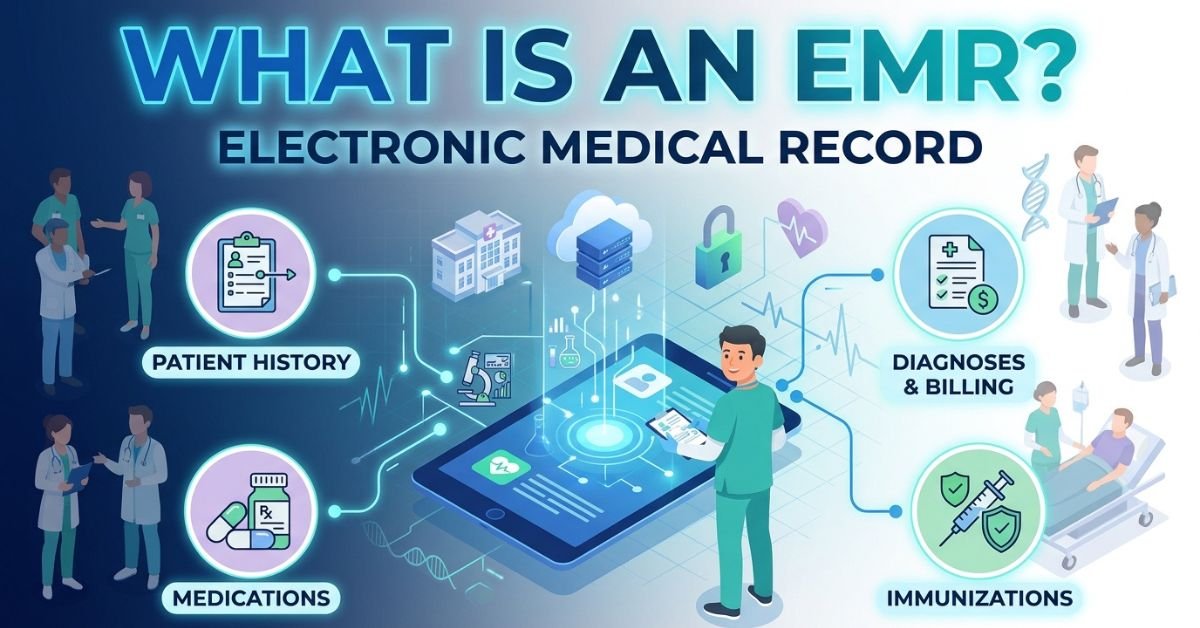
Healthcare is becoming increasingly digital, changing how doctors, nurses, and other medical professionals manage patient information. Instead of relying entirely on paper files, many healthcare facilities now use electronic systems to record medical histories, document treatments, monitor health conditions, and organize clinical information. One of the most important technologies behind this transformation is the Electronic Medical Record, commonly known as EMR.
But what does EMR mean, how does it work, and why has it become an essential part of modern healthcare?
An EMR is more than a digital version of a patient’s medical chart. It helps healthcare professionals organize clinical information, review previous treatments, document appointments, and make informed decisions about patient care. When implemented effectively, an EMR system can improve administrative efficiency, support better clinical workflows, and make important medical information easier to access.
In this comprehensive guide, we will explain the meaning of EMR, explore its common uses, discuss its major benefits and limitations, and examine how it differs from an Electronic Health Record (EHR).
What Does EMR Mean?
EMR stands for Electronic Medical Record. It refers to a digital record of a patient’s medical and treatment information maintained by a healthcare provider or healthcare organization.
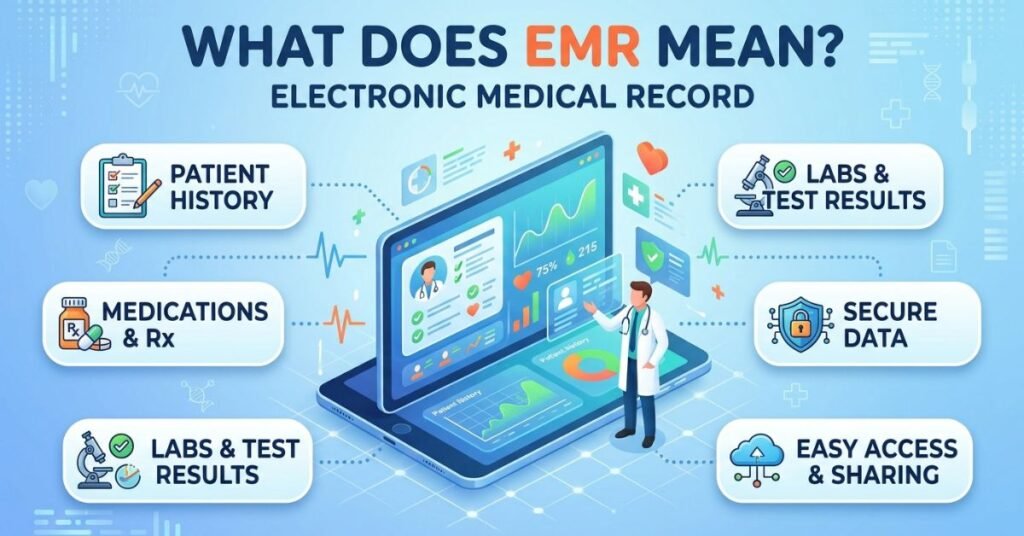
An EMR typically contains information collected during medical visits, including diagnoses, prescribed medications, allergies, laboratory results, treatment plans, and other details relevant to a patient’s care.
Traditionally, medical practices stored this information in paper folders. Healthcare workers had to locate physical files, review handwritten notes, and manually update patient records after appointments. This process could be time-consuming and made organizing large volumes of medical information more difficult.
An EMR replaces much of this paper-based documentation with an electronic system. Authorized healthcare professionals can use the system to review patient information, record new findings, document treatments, and manage clinical tasks.
For example, when a patient visits a doctor because of recurring headaches, the doctor may use an EMR to review previous consultations, check documented allergies, record the patient’s symptoms, and enter a treatment plan. The information becomes part of the patient’s digital medical history within that healthcare practice.
The main purpose of an EMR is to help healthcare providers maintain accurate, organized, and accessible medical records while supporting the delivery of appropriate care.
What Is an EMR System?
An EMR system is software designed to create, store, update, and manage electronic medical records. Healthcare professionals use these systems to document patient encounters and organize information associated with diagnosis and treatment.
Depending on the software and the healthcare facility’s needs, an EMR system may include appointment management, clinical documentation, prescription tools, laboratory result tracking, billing functions, and reporting features.
Some EMR systems are designed for individual practitioners or small medical offices, while others support larger practices with multiple departments and healthcare professionals.
Although specific features vary, most EMR systems are built around a central purpose: making clinical information easier to manage and use.
Common Components of an EMR System
1. Patient demographics
This section contains basic information used to identify and manage patient records, such as the patient’s name, date of birth, contact details, and medical record number.
2. Medical history
The system can store information about previous illnesses, surgeries, existing health conditions, and other relevant details documented by healthcare professionals.
3. Medication records
Healthcare providers can document prescribed medications, dosages, and relevant medication information. Some systems also offer medication reconciliation and interaction alerts.
4. Allergy documentation
EMR systems can record known allergies and associated reactions. This information helps healthcare professionals consider potential risks when selecting medications or planning treatment.
5. Clinical notes
Doctors and other authorized professionals can document symptoms, examination findings, diagnoses, and treatment recommendations.
6. Laboratory and diagnostic results
Depending on the system’s integrations, laboratory results and diagnostic reports may be stored directly in the record or made available through connected systems.
7. Appointment management
Some EMR platforms include scheduling tools that help healthcare facilities organize consultations, manage patient visits, and reduce administrative confusion.
8. Reporting and documentation
Healthcare organizations may use EMR reporting tools to review clinical activity, track selected health indicators, and prepare documentation for administrative or operational purposes.
Not every EMR includes all these features. The available functions depend on the software, its configuration, and the requirements of the healthcare organization.
How Does an EMR Work?
An EMR system follows a structured process for collecting, organizing, and maintaining patient information. Although the exact workflow varies between healthcare facilities, the general process is similar.
Step 1: Patient Registration
When a patient visits a healthcare facility for the first time, administrative staff create a record containing the information needed to identify the patient and manage the visit.
If the patient already has a record, staff can retrieve the existing information and confirm that it is accurate.
Step 2: Collection of Medical Information
During the consultation, healthcare professionals collect relevant information about the patient’s condition. This may include symptoms, medical history, current medications, allergies, and vital signs.
The information is entered into the EMR through forms, structured fields, clinical notes, or other supported documentation methods.
Step 3: Clinical Assessment
The healthcare professional reviews the available information, examines the patient, and documents the assessment.
The EMR can make previously recorded information easier to review, helping the clinician consider relevant medical history when deciding on the next steps.
However, the system does not replace professional judgment. Healthcare providers remain responsible for interpreting information and making appropriate clinical decisions.
Step 4: Diagnosis and Treatment Documentation
After assessing the patient, the clinician records the diagnosis or working diagnosis, treatment recommendations, and follow-up instructions.
Depending on the system, the provider may also enter medication orders, request laboratory tests, or create referrals.
Step 5: Updating the Patient Record
The new information becomes part of the patient’s electronic medical record. Authorized users can access the information according to their permissions and the system’s security controls.
This creates a documented history of the patient’s interactions with the healthcare facility.
Step 6: Follow-Up and Ongoing Care
During later appointments, healthcare professionals can review previous notes, compare available test results, and document changes in the patient’s condition.
Over time, the EMR helps maintain a more organized record of the care provided by that practice.
What Is an EMR Used For?
EMR systems serve several purposes in medical offices, clinics, hospitals, and other healthcare settings. Their applications extend beyond simply storing patient information.
1. Maintaining Patient Medical Histories
One of the most important uses of an EMR is maintaining a structured record of a patient’s medical history.
Healthcare professionals can document previous diagnoses, ongoing conditions, treatments, allergies, and other clinically relevant information.
Having this information available in an organized format can reduce the need to search through separate paper files and help clinicians understand the patient’s documented medical background.
2. Recording Diagnoses and Treatment Plans
EMR systems allow healthcare professionals to document clinical assessments, diagnoses, and treatment recommendations.
For example, a physician treating a patient with asthma may record the patient’s symptoms, examination findings, medication plan, and follow-up instructions.
This documentation supports continuity within the practice and provides a record that can be reviewed during future appointments.
3. Managing Prescriptions
Many EMR platforms include electronic prescribing features or connect with separate prescribing systems.
These tools allow authorized healthcare professionals to enter medication orders electronically rather than relying entirely on handwritten prescriptions.
Electronic prescribing can improve legibility and support medication management. Depending on the system, it may also provide alerts about allergies, potential interactions, or dosage concerns.
Such alerts are not guaranteed to detect every problem, so prescriptions still require appropriate clinical review.
4. Tracking Laboratory Results
EMR systems may connect with laboratory information systems to receive and organize test results.
For example, a doctor may order a blood test and later review the result within the patient’s record.
Having relevant results available in one workflow can reduce the administrative effort involved in collecting information from different sources.
The effectiveness of this process depends on whether the laboratory and EMR systems are properly integrated.
5. Supporting Chronic Disease Management
Patients with long-term conditions often require repeated consultations, medication adjustments, monitoring, and regular testing.
An EMR can help healthcare providers document these activities and review relevant information over time.
For instance, a clinic managing patients with diabetes may use its EMR to record blood glucose measurements, medication changes, laboratory results, and follow-up plans.
Some systems also support reminders and reports that help practices identify patients who may need additional monitoring.
6. Organizing Clinical Documentation
Medical documentation is a central part of healthcare delivery. Providers need to record consultations, examinations, diagnoses, treatments, and follow-up instructions accurately.
An EMR provides structured fields and documentation templates that can make this process more consistent.
Templates can save time, although they must be used carefully. Copying outdated information or relying on poorly configured templates can introduce errors into the medical record.
7. Coordinating Work Within a Healthcare Practice
Depending on its design, an EMR may help doctors, nurses, medical assistants, and administrative staff coordinate their responsibilities.
For example, a nurse may document vital signs before the physician begins an examination. The physician can then review the recorded information and add clinical notes.
Role-based access and clear documentation workflows help ensure that staff members can perform their assigned tasks without unnecessarily exposing sensitive information.
8. Supporting Medical Billing and Administration
Some EMR platforms include billing and administrative functions or integrate with separate practice management software.
These tools may help healthcare organizations associate documented services with billing records, organize patient visits, and generate operational reports.
However, an EMR does not automatically guarantee accurate billing or regulatory compliance. Proper configuration, staff training, and review procedures remain important.
What Are the Main Benefits of EMR Systems?
The adoption of EMR technology can offer meaningful advantages for healthcare providers and patients. The extent of these benefits depends on the quality of the software, implementation practices, staff training, and the organization’s existing workflows.
1. Faster Access to Patient Information
One of the most practical advantages of an EMR is the ability to retrieve stored information electronically.
In a paper-based environment, staff may need to locate a physical file, search through multiple pages, and manually identify the relevant details.
With an EMR, authorized users can often find information through patient searches, digital charts, and organized clinical sections.
Faster access can help healthcare professionals prepare for appointments and review relevant information more efficiently.
2. Better Organization of Medical Records
Paper files can become difficult to manage as a healthcare practice grows. Documents may be misplaced, duplicated, damaged, or stored in inconsistent formats.
An EMR organizes information digitally and allows healthcare organizations to establish standardized documentation processes.
This can improve record management and reduce dependence on physical storage, although digital records still require careful maintenance and reliable backup procedures.
3. Improved Documentation Legibility
Handwritten medical notes can sometimes be difficult to read, particularly when writing is rushed or unfamiliar to another healthcare professional.
Electronic documentation generally produces more legible records and can use standardized terminology and structured fields.
Clearer documentation may reduce misunderstandings and make it easier for authorized professionals to interpret previously recorded information.
Nevertheless, electronic records can still contain incomplete, inaccurate, or ambiguous information if users enter it incorrectly.
4. Support for Clinical Decision-Making
An EMR can help healthcare professionals review relevant information before making treatment decisions.
Depending on the platform, it may display medication histories, allergy records, previous diagnoses, laboratory results, and clinical alerts.
Some systems include clinical decision support features that flag potential medication interactions, remind providers about recommended monitoring, or identify missing information.
These functions can support clinical judgment, but they do not replace a qualified healthcare professional’s assessment.
5. Reduced Dependence on Paper
Electronic documentation reduces the need to create, store, retrieve, and transport large volumes of paper records.
This may lower certain administrative costs and simplify record management.
However, organizations must still account for software subscriptions, hardware, technical support, cybersecurity, staff training, and system maintenance.
Consequently, the actual financial savings depend on the organization’s size, needs, and implementation strategy.
6. More Efficient Clinical Workflows
Well-designed EMR systems can combine several tasks within a single workflow.
A healthcare professional may review a patient’s history, document an examination, enter a prescription, and arrange follow-up without switching between multiple paper forms.
Automation and standardized templates can reduce repetitive administrative work.
Poorly designed systems, however, may create additional documentation burdens. The benefits depend on how well the software fits the practice’s daily activities.
7. Improved Continuity of Care Within a Practice
When patients return for follow-up appointments, healthcare professionals can review previous consultations and understand what was documented earlier.
This can help them evaluate changes in symptoms, review past treatment decisions, and maintain a more consistent record of care.
Continuity is particularly valuable for patients who require repeated visits or ongoing treatment.
Access to records across different healthcare organizations is a separate issue and may require interoperability between systems.
8. Better Support for Preventive Care
Some EMR systems offer reminders and reporting tools that help practices track preventive services and routine monitoring.
Depending on their configuration, these tools may identify patients who are due for follow-up appointments, screening tests, vaccinations, or other recommended services.
Such features can help healthcare teams organize preventive care activities.
Their usefulness depends on accurate patient data, appropriate clinical guidelines, and consistent staff follow-through.
9. More Consistent Reporting
Healthcare organizations often need to review information about patient visits, diagnoses, treatments, and service delivery.
EMR reporting tools can help generate summaries from structured data and support operational planning.
For example, a clinic may review how many patients received care for a particular condition during a specified period.
The accuracy of these reports depends on data quality, coding practices, and the reporting capabilities of the system.
10. Potential Improvements in Patient Safety
Accurate medical information is essential for safe healthcare delivery.
By making documented allergies, medications, previous diagnoses, and relevant test results easier to review, an EMR can help healthcare professionals identify information that may affect treatment decisions.
Electronic alerts may also help flag certain risks.
However, EMRs do not eliminate medical errors. Incorrect data entry, missed alerts, incomplete records, and inappropriate reliance on automated recommendations can still create safety concerns.
Also Read! TBH Meaning in Text: What Does TBH Stand For?
What Are the Disadvantages of EMR Systems?
Although EMR technology offers many advantages, it also presents challenges. Healthcare organizations should understand these limitations before selecting or implementing a system.
1. Initial Implementation Costs
Introducing an EMR may require software licensing, computers, network upgrades, data migration, staff training, and technical assistance.
Smaller practices may find these expenses difficult to manage, especially when they have limited budgets.
Cloud-based solutions may reduce the need for some on-site infrastructure, but subscription fees and other operating costs still apply.
2. Staff Training Requirements
Healthcare professionals and administrative employees need to learn how to use the system correctly.
Training may cover patient registration, clinical documentation, prescribing, scheduling, privacy controls, and error correction.
Without sufficient training, staff may enter incomplete information, create duplicate records, or struggle to complete routine tasks.
Ongoing support is often necessary as software features and workflows change.
3. Privacy and Cybersecurity Risks
Medical records contain sensitive information that must be protected from unauthorized access, misuse, loss, and disclosure.
EMR systems can face risks such as phishing attacks, ransomware, stolen credentials, inappropriate internal access, and insecure integrations.
Healthcare organizations should implement appropriate safeguards, including access controls, multifactor authentication where available, encryption, security updates, audit logs, and tested backup procedures.
They must also follow applicable privacy and data protection requirements.
4. Technical Problems and Downtime
An EMR depends on functioning software and supporting technology.
Internet interruptions, server failures, software defects, or maintenance activities may temporarily prevent access to records.
Healthcare organizations should establish downtime procedures so staff can continue essential operations when the system is unavailable.
They also need reliable recovery plans to restore access and reconcile any information recorded during an outage.
5. Documentation Burden
Some EMR systems require extensive data entry or make routine tasks unnecessarily complicated.
If the interface is poorly designed, healthcare professionals may spend more time navigating screens and completing forms.
This can affect productivity and contribute to frustration.
Choosing a system that fits clinical workflows, minimizing unnecessary fields, and providing appropriate training can help reduce this problem.
6. Data Migration Challenges
When a healthcare practice switches from paper records or an older software platform, transferring existing information can be complicated.
Records may contain inconsistent terminology, incomplete histories, duplicate entries, or scanned documents that cannot easily be converted into structured data.
Organizations should plan the migration carefully, validate important information, and establish procedures for identifying and correcting errors.
7. Limited Information Sharing
An EMR designed primarily for one practice may not exchange information easily with other healthcare organizations.
This can make it difficult for clinicians to obtain outside laboratory results, specialist reports, or records from previous providers.
Interoperability depends on technical standards, data-sharing arrangements, system capabilities, and applicable legal requirements.
An electronic record is not automatically accessible across every healthcare facility.
What Is the Difference Between EMR and EHR?
EMR and EHR are related terms, but they do not always mean exactly the same thing.
EMR stands for Electronic Medical Record, while EHR stands for Electronic Health Record.
Both involve digital health information, but the terms traditionally emphasize different scopes of record management.
An EMR generally focuses on a patient’s clinical record within an individual medical practice or healthcare organization. An EHR is commonly designed to support a broader view of a patient’s health information across multiple providers and care settings.
The precise distinction depends on the product, implementation, and how the terms are used in a particular healthcare environment.
EMR vs. EHR: Key Differences
| Feature | EMR | EHR |
|---|---|---|
| Full form | Electronic Medical Record | Electronic Health Record |
| General focus | Clinical records within a particular practice | Broader health information across care settings |
| Medical history | Records information documented by the practice | May combine information from multiple participating providers |
| Information sharing | May be limited to the organization or connected systems | Often designed to support broader information exchange |
| Coordination of care | Supports care within the practice | Can support coordination among different healthcare providers |
| Common applications | Medical offices, clinics, and specialty practices | Clinics, hospitals, health networks, and connected care environments |
The most important distinction is not simply whether a record is digital. It is how broadly the information can be accessed, exchanged, and used to support patient care.
An EMR may include interoperability features, and an EHR may still have limitations when exchanging information with other systems. Therefore, healthcare organizations should evaluate actual capabilities rather than relying on the product label alone.
Who Uses EMR Systems?
EMR systems are used by a wide range of healthcare professionals and organizations.
Primary Care Physicians
General practitioners use EMRs to document routine consultations, maintain patient histories, manage prescriptions, and monitor ongoing conditions.
Specialists
Cardiologists, dermatologists, neurologists, and other specialists may use EMRs tailored to their clinical workflows.
For example, a cardiology practice may document cardiovascular assessments, medications, diagnostic findings, and follow-up recommendations.
Nurses and Clinical Staff
Nurses and other authorized clinical staff may use EMRs to record vital signs, update relevant patient information, document care activities, and support clinical workflows.
Their access and documentation responsibilities depend on their roles and the organization’s policies.
Medical Assistants and Administrative Staff
Administrative employees may use EMR-related functions to register patients, update demographic information, manage appointments, and support documentation processes.
Access to clinical information should be limited to what is necessary for their assigned responsibilities.
Hospitals and Healthcare Networks
Hospitals may use EMR or EHR platforms as part of larger digital health environments.
These systems can support clinical documentation, medication management, diagnostic workflows, and coordination among departments.
Large organizations often require integrations with laboratory systems, imaging platforms, pharmacy systems, and other healthcare technologies.
Specialty Clinics
Clinics focused on areas such as dentistry, mental health, rehabilitation, or women’s health may use specialized record systems designed around their particular needs.
These platforms can include documentation templates and workflows suited to the services provided.
What Features Should You Look for in an EMR?
Selecting an appropriate EMR is an important decision because the system can influence clinical workflows, administrative costs, and the quality of documentation.
The best choice depends on the size of the organization, the type of care provided, and the available budget.
Here are several features worth evaluating.
User-friendly design: The system should make common tasks easy to complete without unnecessary navigation.
Customizable documentation: Healthcare professionals should be able to record relevant information in formats that suit their clinical workflows.
Medication management: The software should support appropriate medication documentation and, where available, reliable prescribing workflows and safety alerts.
Laboratory integration: Practices that order frequent tests may benefit from systems that exchange information with laboratories.
Privacy and security controls: The platform should offer appropriate authentication, access permissions, audit capabilities, and data protection measures.
Backup and recovery: The provider should explain how information is backed up, how it can be restored, and what happens during service interruptions.
Interoperability: Organizations that exchange information with hospitals, laboratories, pharmacies, or other providers should assess the system’s integration capabilities.
Reporting tools: Useful reporting features can support clinical monitoring, administrative planning, and operational analysis.
Training and customer support: Reliable assistance is important during implementation and when staff encounter technical problems.
Scalability: The system should be capable of supporting the organization’s expected growth without creating unnecessary complexity or expense.
Before making a decision, healthcare providers should evaluate demonstrations, review contract terms, assess data ownership and export options, and consider feedback from the people who will use the software every day.
How Does EMR Improve the Patient Experience?
Patients may not interact directly with every part of an EMR system, but its effects can influence their experience of healthcare.
For example, an organized electronic record may help a doctor prepare for a consultation by making relevant medical history available before the appointment begins.
Electronic prescribing and connected diagnostic workflows may also reduce some administrative delays when properly implemented.
Additionally, structured documentation can help clinicians review previous treatment plans and provide more consistent follow-up care.
Some EMR platforms include patient portals that allow individuals to view selected health information, request appointments, or communicate with their healthcare team. However, patient portals are not included in every EMR system.
It is also important to recognize that technology alone does not create a positive patient experience. Clear communication, respectful treatment, clinical expertise, and appropriate access to care remain essential.
Is an EMR System Secure?
EMR systems can provide strong security protections, but their safety depends on how they are designed, configured, maintained, and used.
Because medical information is sensitive, healthcare organizations must take reasonable steps to prevent unauthorized access and protect records against loss or misuse.
Important security measures include the following:
- Role-based access: Employees should have access only to the information necessary for their responsibilities.
- Strong authentication: Secure passwords and multifactor authentication can help reduce the risk of unauthorized access.
- Encryption: Appropriate encryption helps protect information during transmission and, where supported, while stored.
- Audit logs: System logs can help organizations identify who accessed or changed particular records.
- Regular updates: Security patches help address known software vulnerabilities.
- Reliable backups: Properly protected backups support recovery following technical failures or cyberattacks.
- Staff education: Employees should understand phishing, password security, privacy obligations, and safe information-handling practices.
Healthcare organizations should also assess the security practices of their software vendors and any third parties that can access patient information.
No digital system is completely risk-free. Security requires ongoing attention rather than a one-time setup.
Can Small Medical Practices Benefit From EMR?
Yes. Small medical practices can benefit from EMR systems, particularly when the software is appropriately matched to their needs.
A small clinic may use an EMR to maintain patient histories, document appointments, record prescriptions, organize test results, and manage follow-up visits.
Moving away from paper-based processes can reduce the time spent locating files and help staff maintain more consistent documentation.
However, a small practice should not assume that the most expensive or feature-rich system is automatically the best option.
Before investing, the practice should consider its patient volume, available budget, staffing, internet reliability, existing technology, and reporting requirements.
A straightforward system that staff can use consistently may be more effective than a complex platform with features the practice rarely needs.
It is also important to plan for training, ongoing support, data protection, and eventual data export if the practice changes vendors.
What Is the Future of EMR Technology?
EMR technology continues to develop as healthcare organizations seek more efficient ways to manage clinical information.
Several trends are influencing how these systems are designed and used.
Artificial Intelligence and Automation
Some healthcare technology products are introducing AI-assisted documentation, clinical summarization, and administrative automation.
These tools may help reduce repetitive tasks, but their outputs require appropriate review. Errors, missing details, and misleading summaries can create risks if information is accepted without verification.
Greater Interoperability
Healthcare organizations increasingly need systems that can exchange information securely.
Better interoperability may help clinicians access relevant information from participating providers and reduce unnecessary duplication of tests or documentation.
Achieving this requires compatible technical standards, suitable infrastructure, appropriate permissions, and effective data-sharing arrangements.
Cloud-Based Systems
Cloud-based EMR platforms allow organizations to access services through internet-connected devices, subject to authentication and system permissions.
They may reduce the need to maintain certain types of local infrastructure.
However, organizations must consider internet availability, vendor reliability, contractual terms, data storage arrangements, security responsibilities, and recovery procedures.
Patient Engagement Tools
Some systems provide portals, digital appointment services, and secure communication tools.
These features can help patients participate more actively in managing appointments and reviewing selected health information.
Their effectiveness depends on accessibility, usability, privacy protections, and whether patients can comfortably use the available technology.
Improved Data Analytics
Structured electronic records can support reporting and analysis when the information is sufficiently accurate and complete.
Healthcare organizations may use these capabilities to monitor selected clinical indicators, evaluate operational performance, and identify opportunities to improve services.
Responsible use requires attention to data quality, privacy, appropriate interpretation, and the limitations of automated analysis.
Although these developments offer opportunities, the ultimate value of EMR technology will depend on whether it supports healthcare professionals and patients without introducing unnecessary complexity or compromising privacy.
Also Read! LYK Meaning in Text: What Does LYK Stand For in Chat?
Frequently Asked Questions
1. What Does EMR Stand For in Medical Terms?
EMR stands for Electronic Medical Record. It refers to a digital record of a patient’s medical information maintained by a healthcare provider or organization.
2. What Is the Main Purpose of an EMR?
The primary purpose of an EMR is to organize and maintain patient medical information electronically. It helps healthcare professionals document consultations, review medical histories, record diagnoses, and manage treatment information.
3. Is EMR the Same as EHR?
No, although the terms are closely related. EMR traditionally refers to a digital medical record maintained within a particular practice, while EHR generally refers to a broader health record designed to support information sharing across providers and care settings.
The actual capabilities of a system depend on its design and implementation.
4. What Information Does an EMR Contain?
An EMR may contain patient demographics, medical histories, diagnoses, allergies, medication records, clinical notes, laboratory results, and treatment plans. The exact information depends on the healthcare provider and the software being used.
5. Who Uses EMR Systems?
Doctors, nurses, medical assistants, specialists, and other authorized healthcare professionals may use EMR systems. Administrative staff may also access selected functions needed for patient registration, scheduling, and related tasks.
6. What Are the Biggest Benefits of EMR?
Major potential benefits include easier access to patient information, better record organization, clearer documentation, support for clinical decision-making, reduced reliance on paper, and more efficient clinical workflows.
The results depend on implementation quality and how well the system fits the organization’s needs.
7. What Are the Main Disadvantages of EMR?
Common challenges include implementation costs, staff training requirements, cybersecurity risks, technical downtime, documentation burdens, data migration difficulties, and limited information sharing between incompatible systems.
8. Can Patients Access Their EMR?
Patients may be able to access selected medical information through a patient portal or another service offered by their healthcare provider. Access depends on the system, the provider’s policies, and applicable privacy requirements.
9. Does an EMR Replace Doctors?
No. An EMR is a tool for managing clinical information and supporting healthcare workflows. It does not replace the professional knowledge, judgment, examination, and decision-making required from qualified healthcare professionals.
10. Is an EMR Better Than Paper Records?
An EMR can offer advantages such as faster information retrieval, structured documentation, and easier record organization. However, it also introduces costs, technical dependencies, and cybersecurity responsibilities. Whether it is better in practice depends on how effectively the system is implemented and maintained.
Conclusion
EMR stands for Electronic Medical Record, a digital system used to organize and maintain patient medical information. It allows healthcare providers to document diagnoses, review medical histories, record treatments, manage clinical information, and support ongoing patient care.
The benefits of EMR systems can include faster access to records, improved documentation, more organized workflows, reduced reliance on paper, and better support for clinical decision-making. At the same time, healthcare organizations must address implementation costs, staff training, cybersecurity, data quality, and technical reliability.
Understanding the distinction between EMR and EHR is also important. Although both involve electronic health information, an EMR traditionally focuses on records maintained within a particular practice, whereas an EHR is generally designed to support a broader view of a patient’s health information across care settings.
Ultimately, an EMR is most valuable when it fits the needs of healthcare professionals, protects sensitive information, and supports accurate, efficient documentation. When implemented thoughtfully, it can become an important part of a modern healthcare environment and help providers manage the information needed to deliver appropriate patient care.